

Organise a multi-day race
A multi-day race is one event with several race days. Courses, start lists and results belong to each day, while entry fees, rental chips and the invoice are shared by the whole event. The race comes in from Eventor with all its days.
1. Open the race
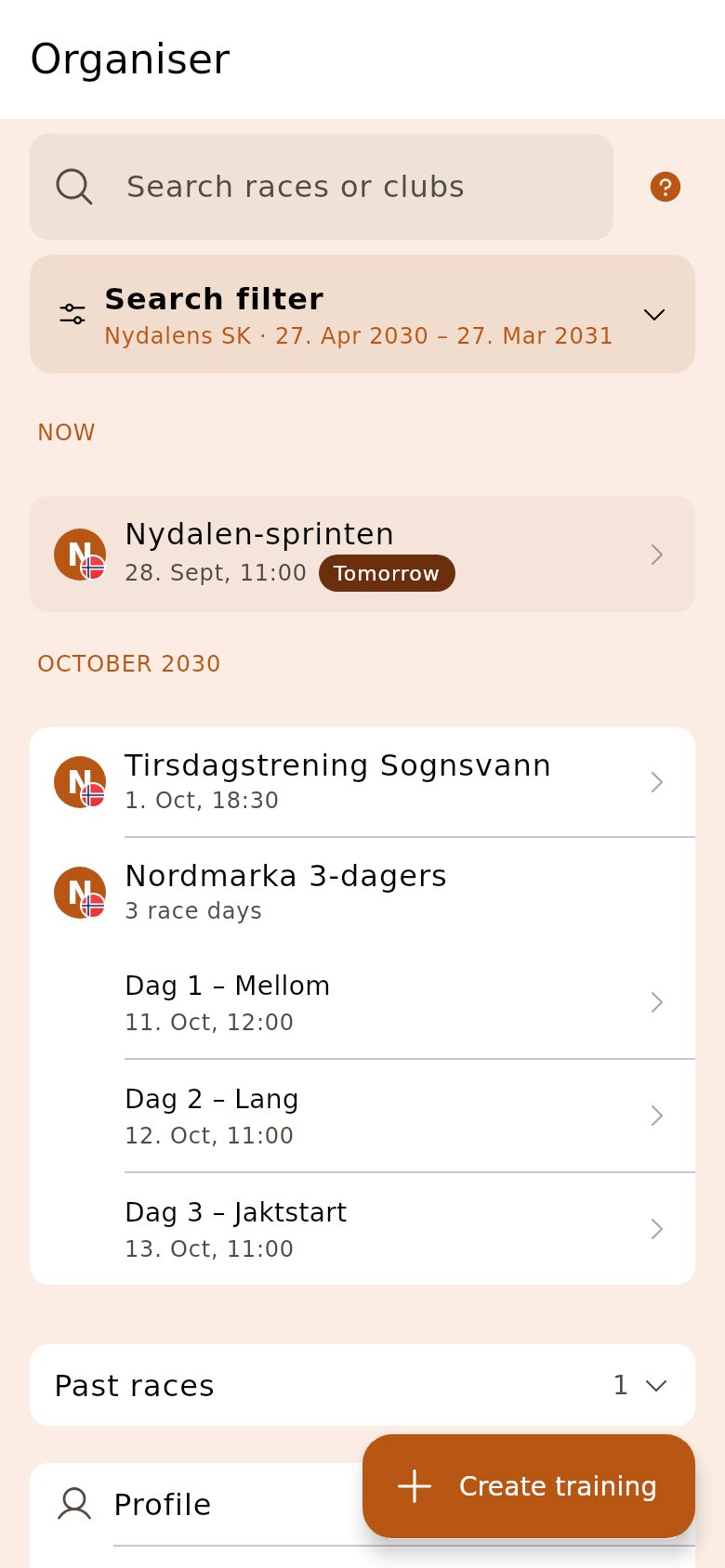
Section titled “1. Open the race”On the start page the race is listed with its name once and the days indented below. Tap the day you are going to work on.
2. Tap «Set up the event»
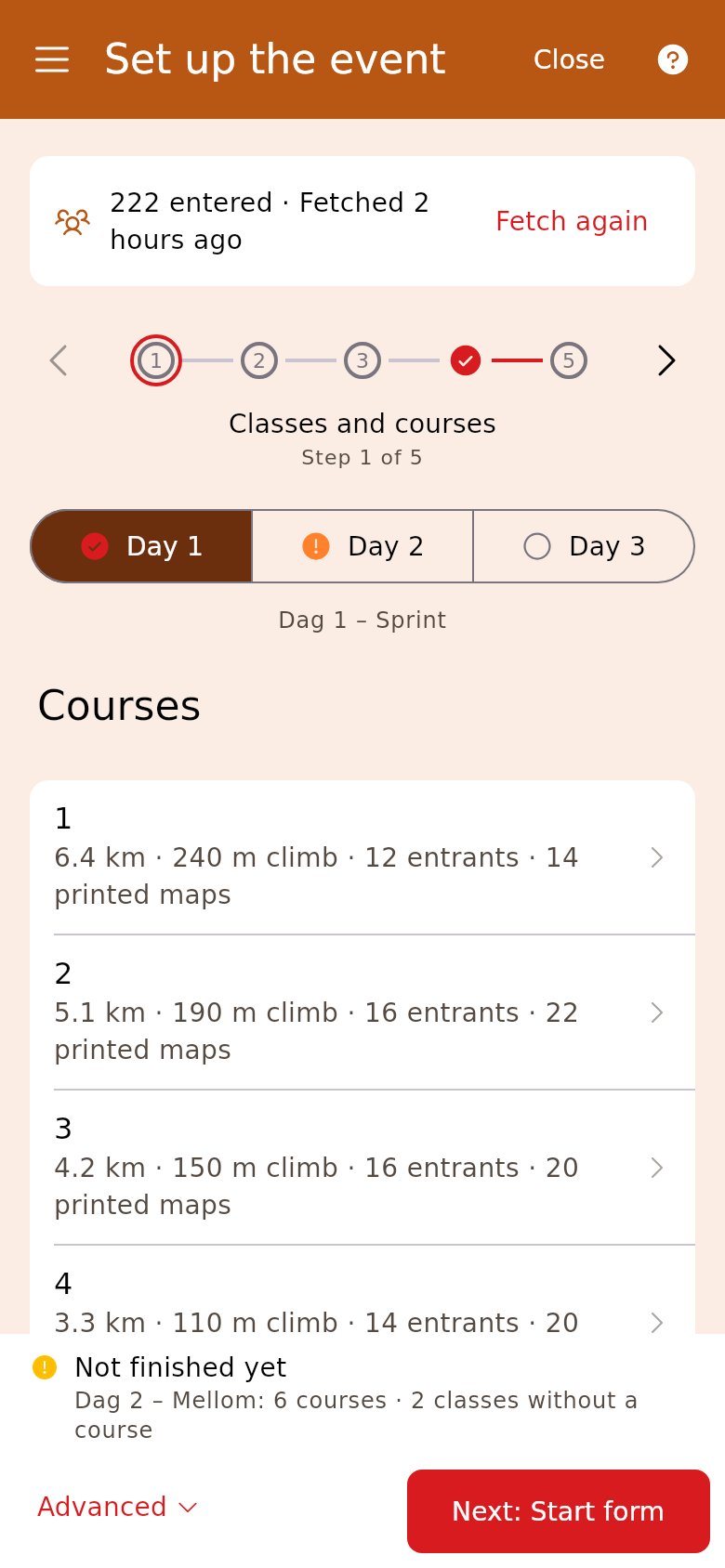
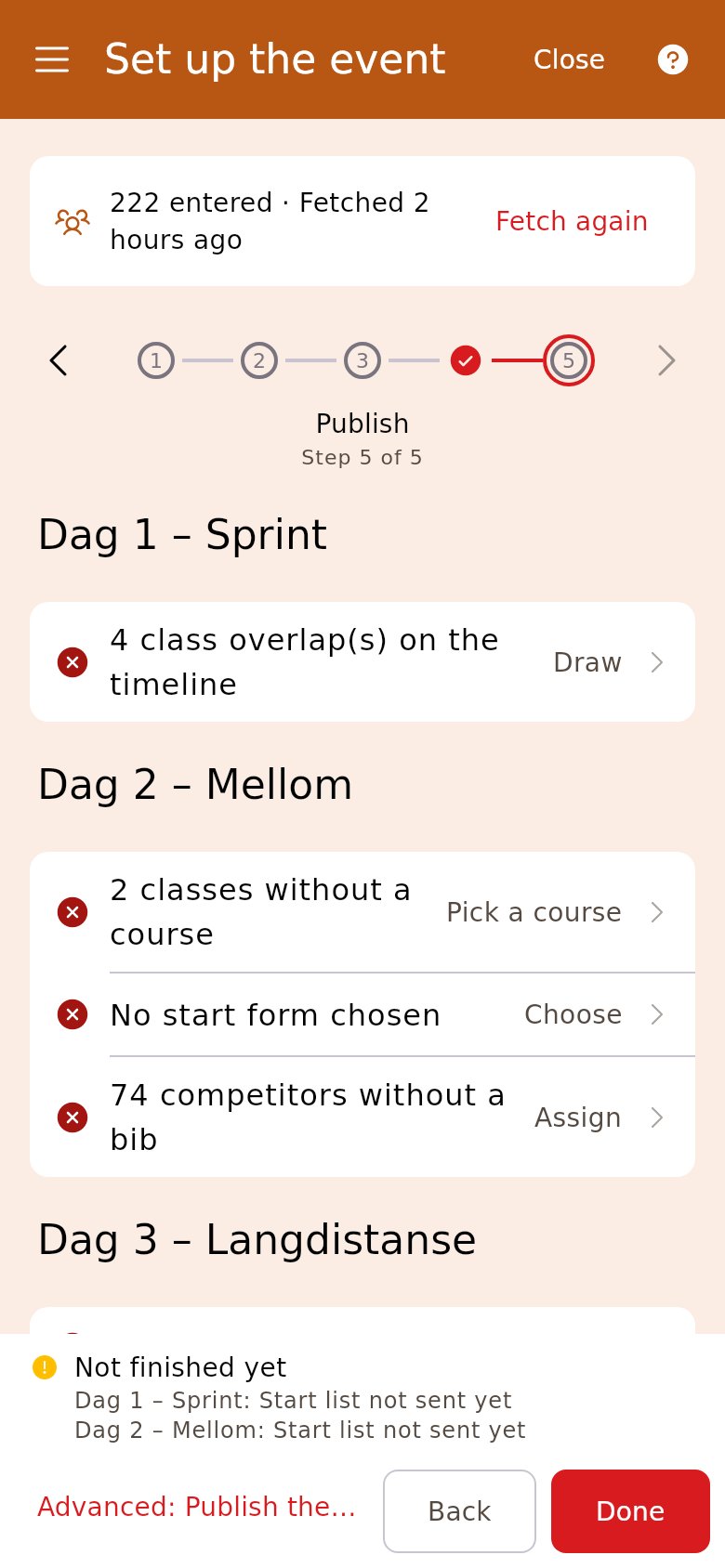
Section titled “2. Tap «Set up the event»”At the top of every step there is one tab per day, with a tick for done and an exclamation mark for something left to do. Start with day 1, and finish each step for all the days before you move on.
3. Upload the courses for each day
Section titled “3. Upload the courses for each day”Each day has its own course file. Choose the day in the tabs, tap «Add course» and choose the file. The classes are linked to the courses for that day.
4. Draw the start lists
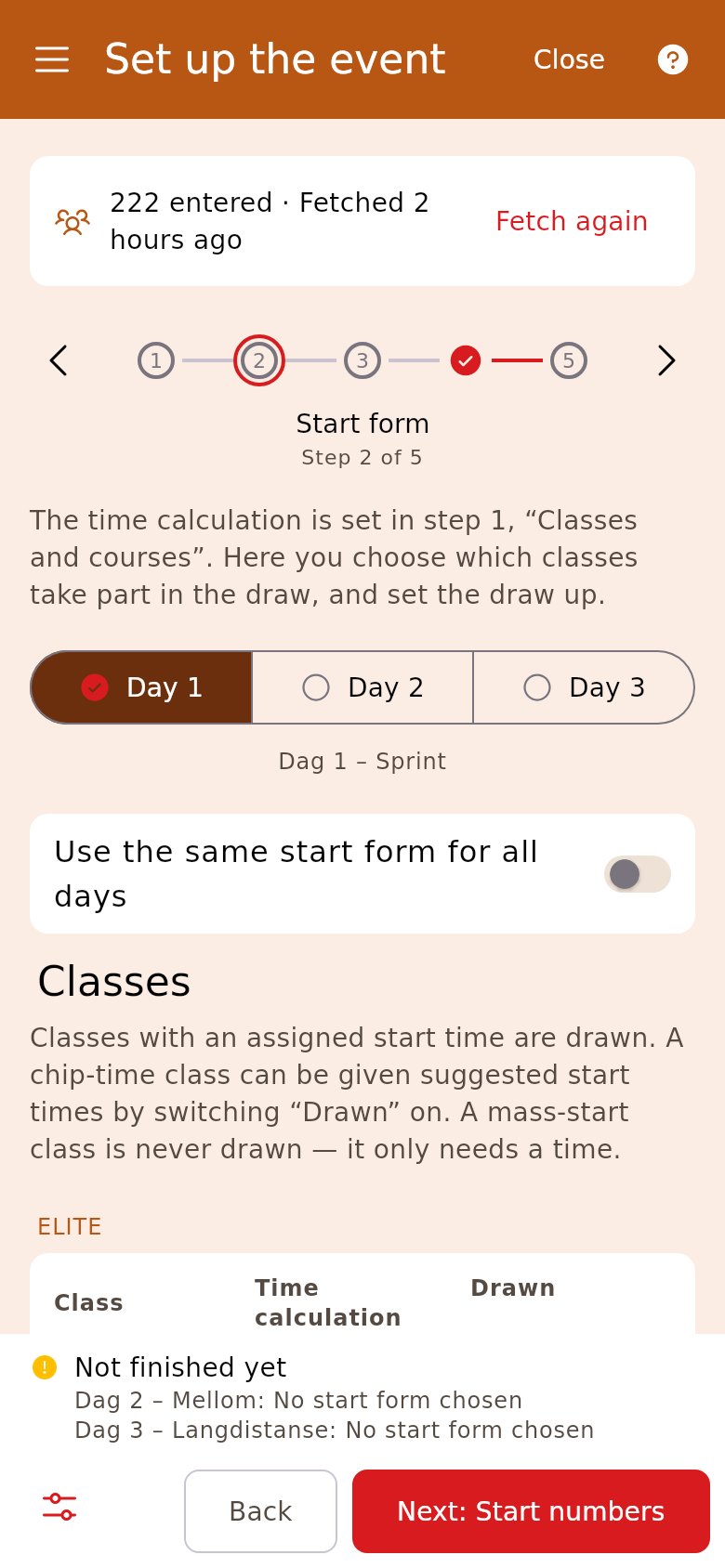
Section titled “4. Draw the start lists”With «Use the same start form for all days» on, the choices in «Start form» apply to every day. Tap «Draw every day». The setup is the same, but the times are worked out from each day’s own entries.
5. Give the runners the same bib
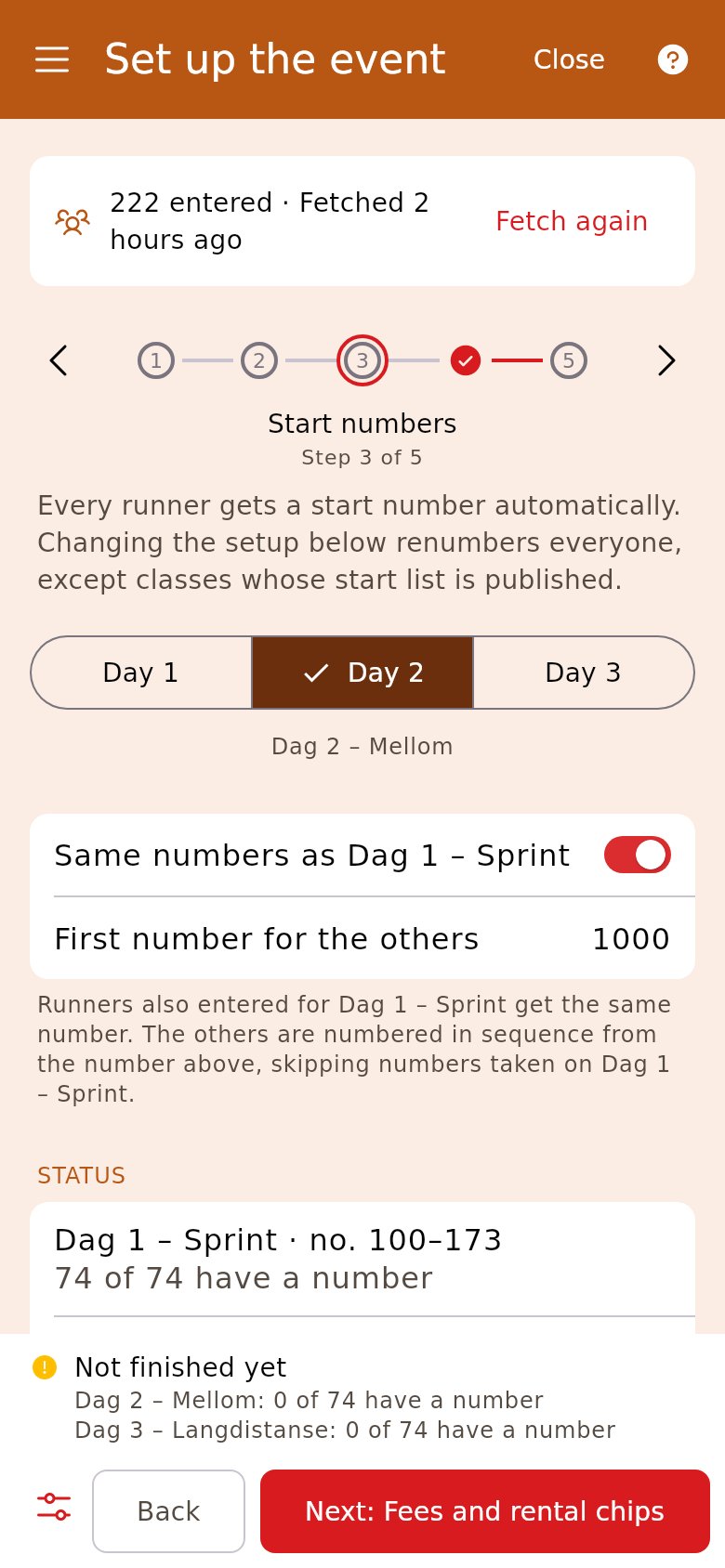
Section titled “5. Give the runners the same bib”Day 1 starts at 100. On the other days «Same numbers as» day 1 is on, so a runner keeps their number all weekend. Someone who only runs a later day gets a number from «First number for the others».
6. Publish
Section titled “6. Publish”The checklist goes day by day. «Publish in the OriGo app» and direct entry apply to the whole race, while the start list in the app is published per day.
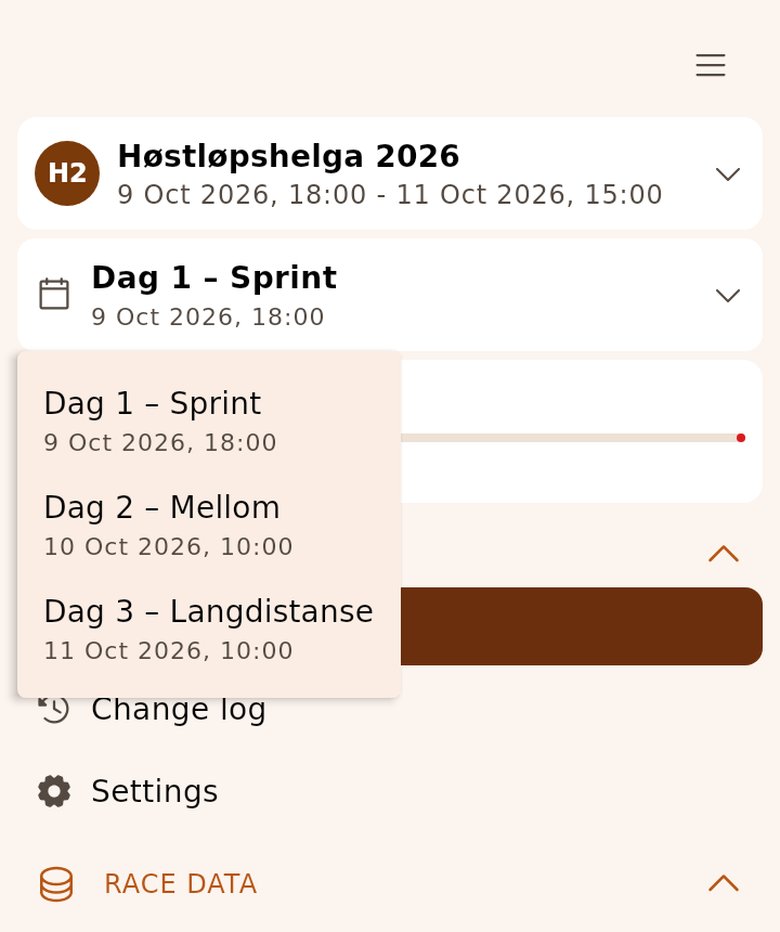
7. Choose the day in the side menu on race day
Section titled “7. Choose the day in the side menu on race day”The race day is right below the race in the side menu. Entries, start, finish registration and printouts apply to the day shown there. Tap it and choose the day every morning, before you read the first chip.
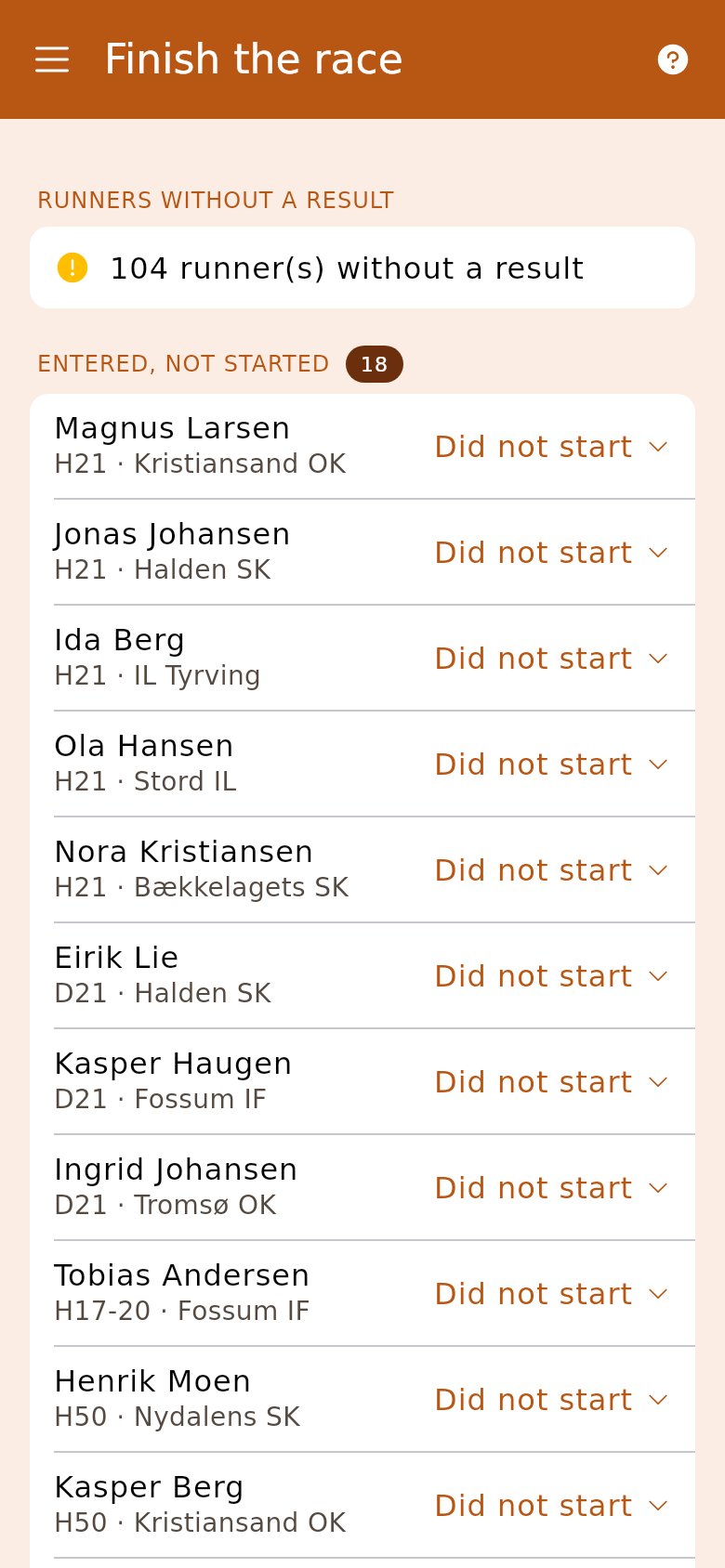
8. Close the race
Section titled “8. Close the race”«Finish the race» works across the days: the runners without a result get a status, and the result lists for all the days go to Eventor. If the club invoices from Origo, you send the invoices when every day is closed — one per club for the whole event.
- The entry fees and rental chips are under «Event», marked «All days». A rental chip costs its price per race day.
- The printed bib has all the days.
- A relay over several days is not supported by the wizard.
Different start forms on different days
Turn off «Use the same start form for all days» in «Start form». A change then applies only to the day you are looking at, and the other days get «Copy from day 1». In the same way, «Use the same timing for all days» is in «Classes and courses»; the course links always belong to each day.
A number setup of its own per day
A later day starts at the next free thousand above the days before — day 2 at 1000, day 3 at 2000. If you turn «Same numbers as» off, the day gets its own setup in the same tab.
Overview and deletion
«Overview» has tabs above the race day when the race has several days. The tabs only change what the column shows; the active day in the side menu stays put.
Competitor and result data are deleted three months after the last race day, for the whole event at once.