

Organise a relay
A relay is set up in the same wizard as an individual race, but the steps are about teams, legs and the mass start. You make the forking in OCAD or Purple Pen — Origo reads it from the course file.
1. Open the relay
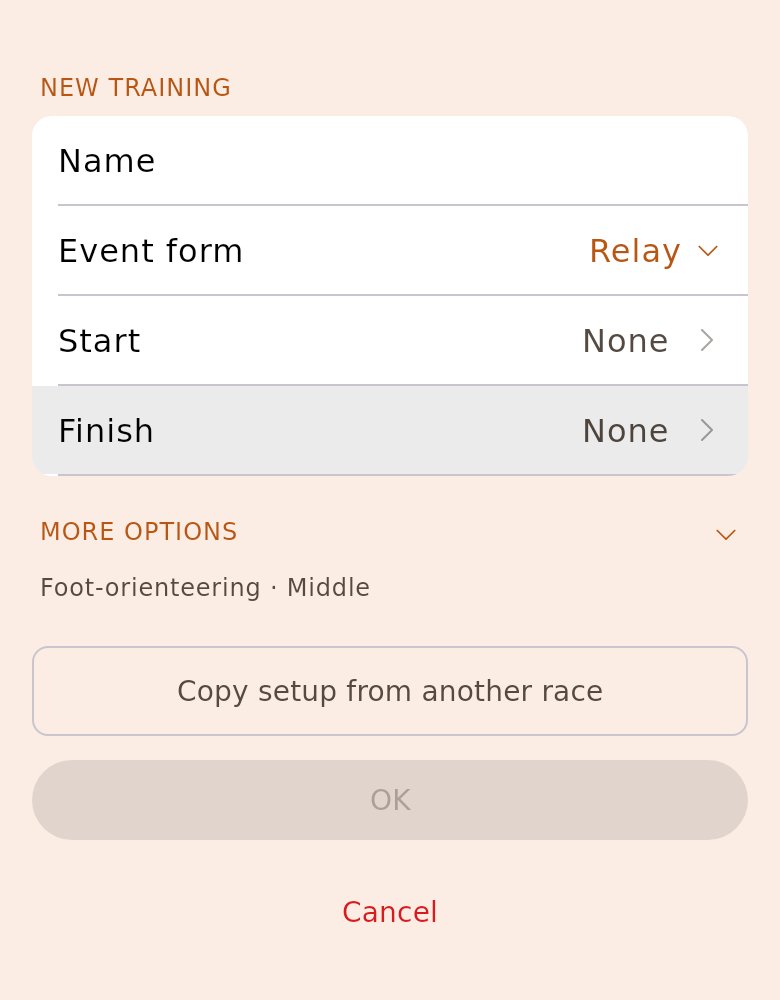
Section titled “1. Open the relay”A relay from Eventor is on the start page with its classes and teams. A club relay you create yourself: tap «Create training» and set «Event form» to «Relay».
2. Tap «Set up the event»
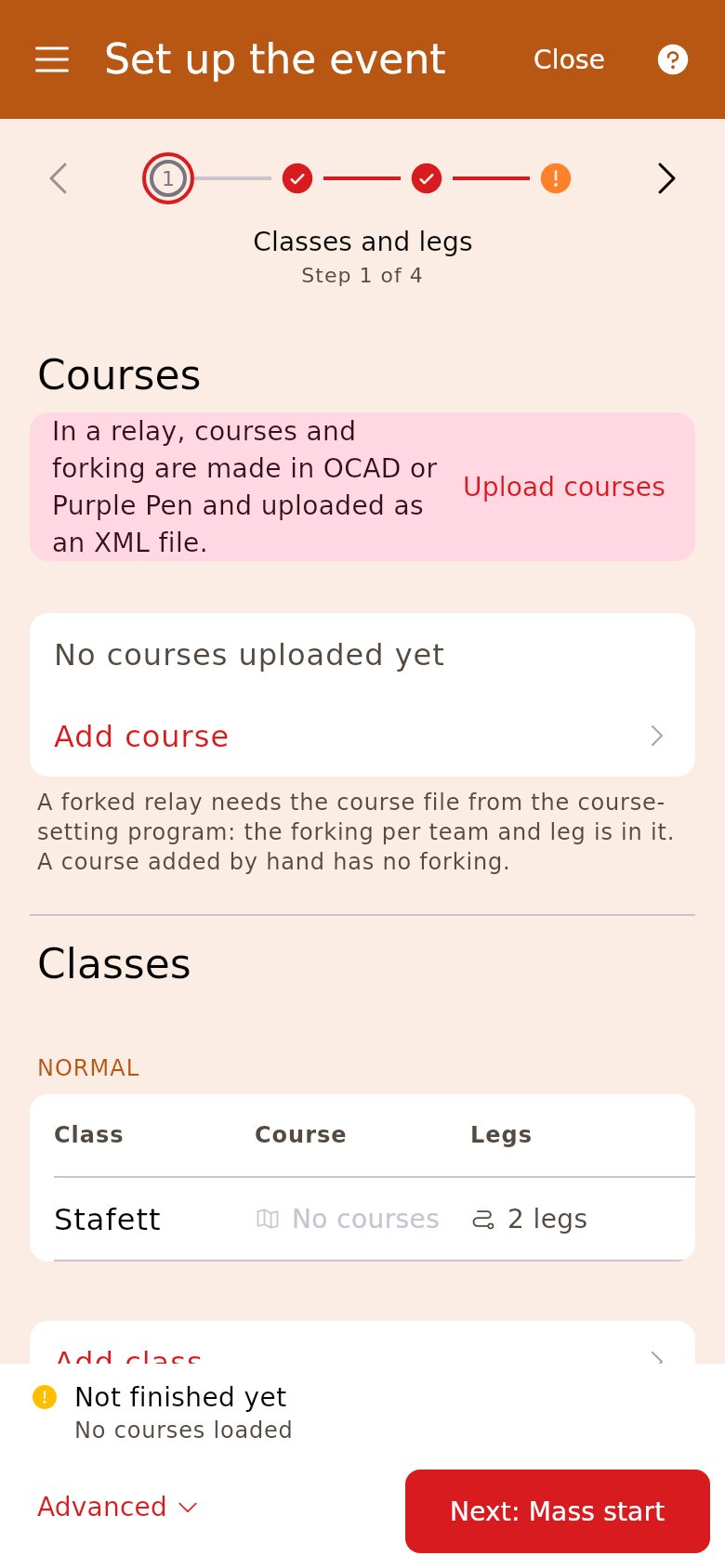
Section titled “2. Tap «Set up the event»”The card is in the side menu. On a relay the first three steps are «Classes and legs», «Mass start» and «Team numbers and forking». Until the course file is uploaded, a notice sits above the courses.
3. Upload the course file
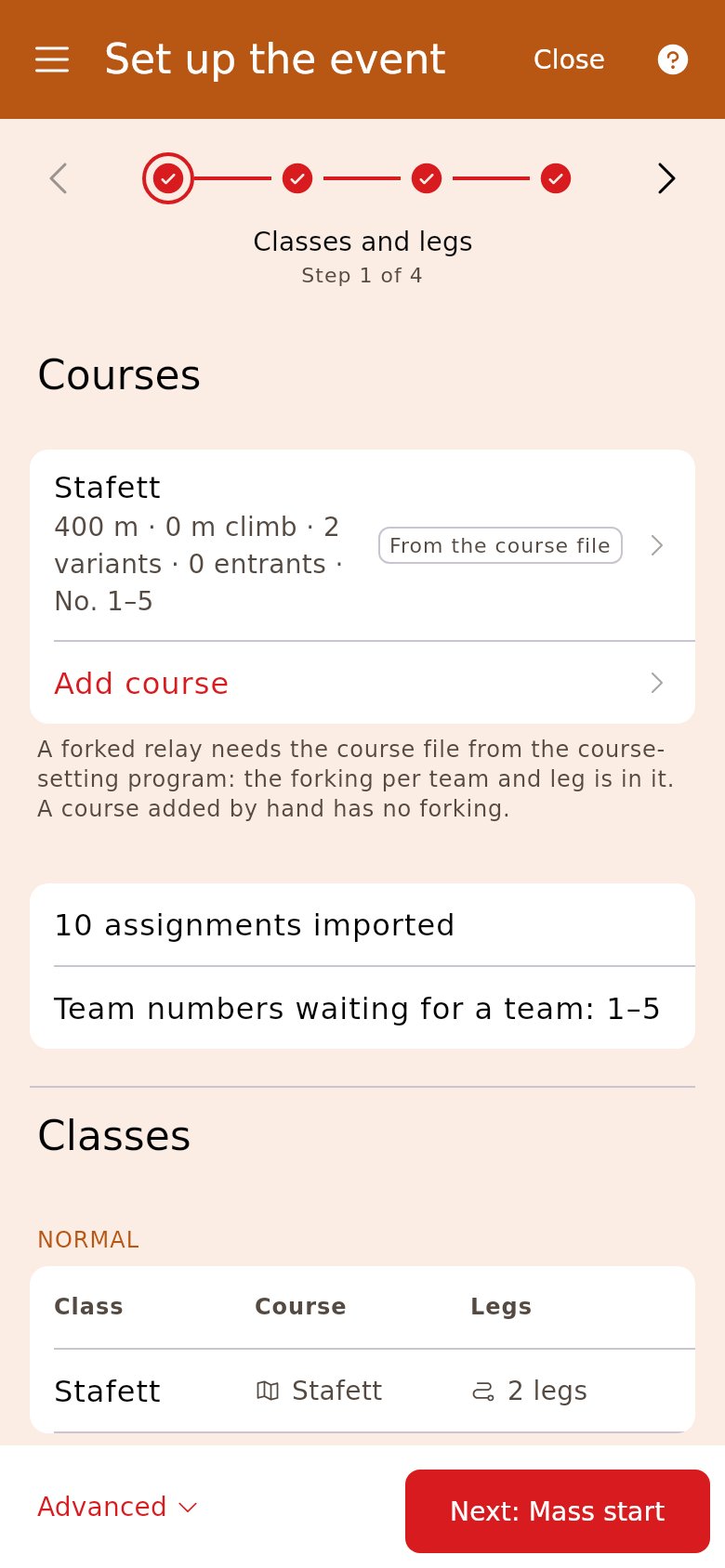
Section titled “3. Upload the course file”Tap «Upload courses» and choose the XML file from OCAD or Purple Pen. The file says which map each team runs on each leg. Check that every class has the right number under «Legs» — tap the number to change it.
4. Set the mass start
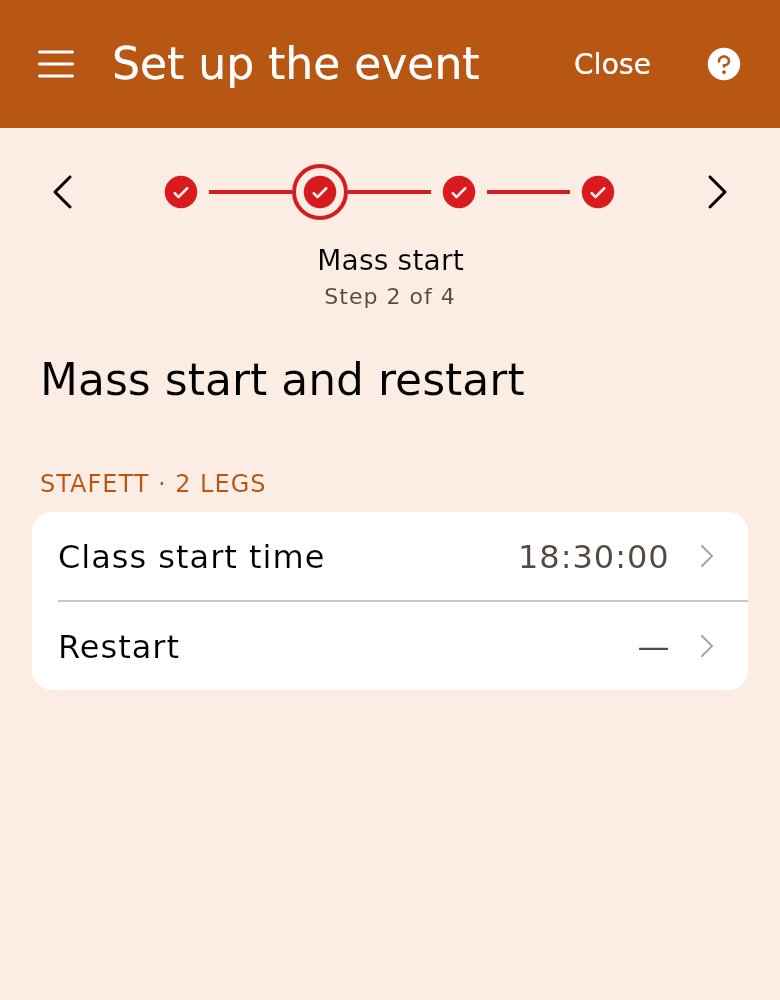
Section titled “4. Set the mass start”Tap «Class start time» in each class and choose the time. If you want to send out runners who are waiting for a changeover that never comes, set «Restart» too.
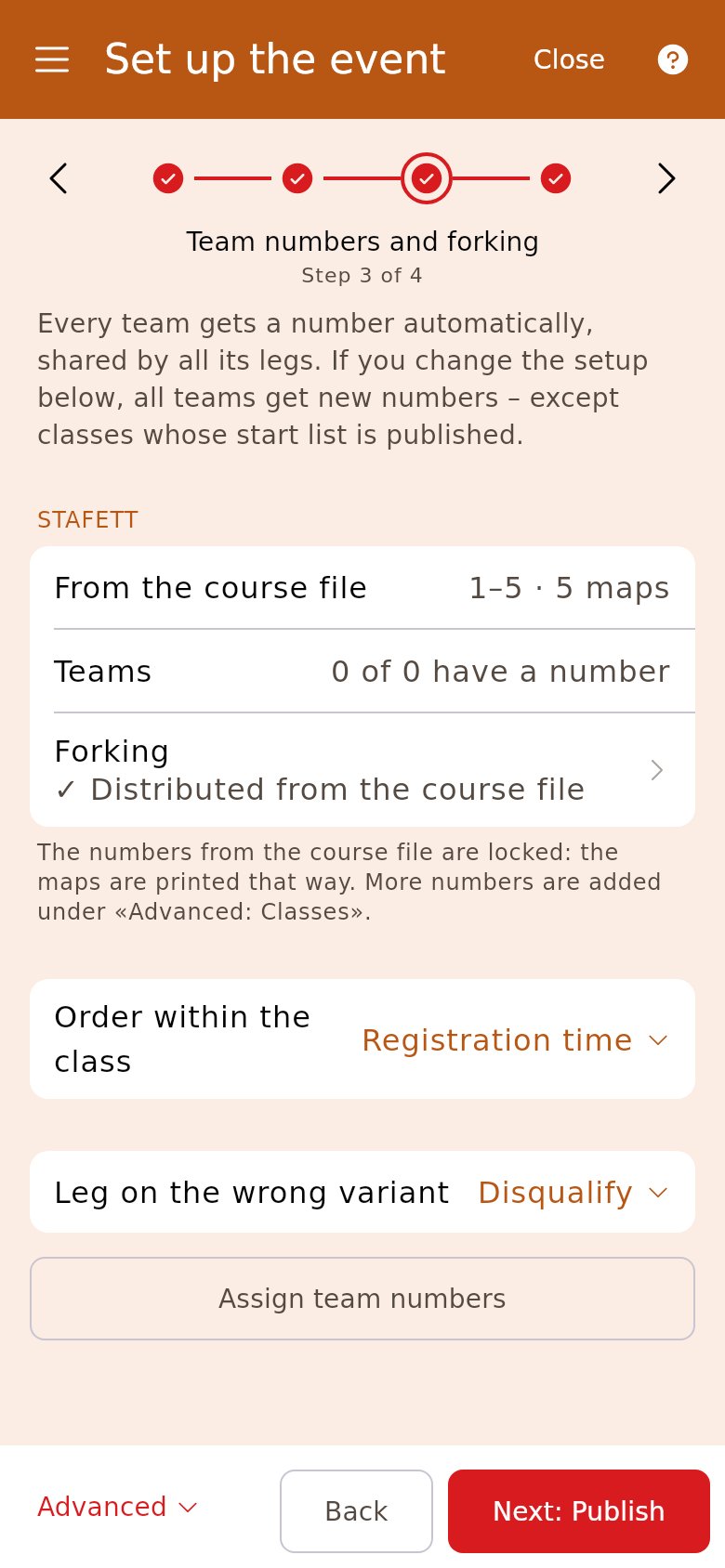
5. Assign team numbers
Section titled “5. Assign team numbers”The numbers from the course file are locked, because the maps are printed for them. A class without a course file gets a suggested first number. Tap «Assign team numbers».
6. Publish
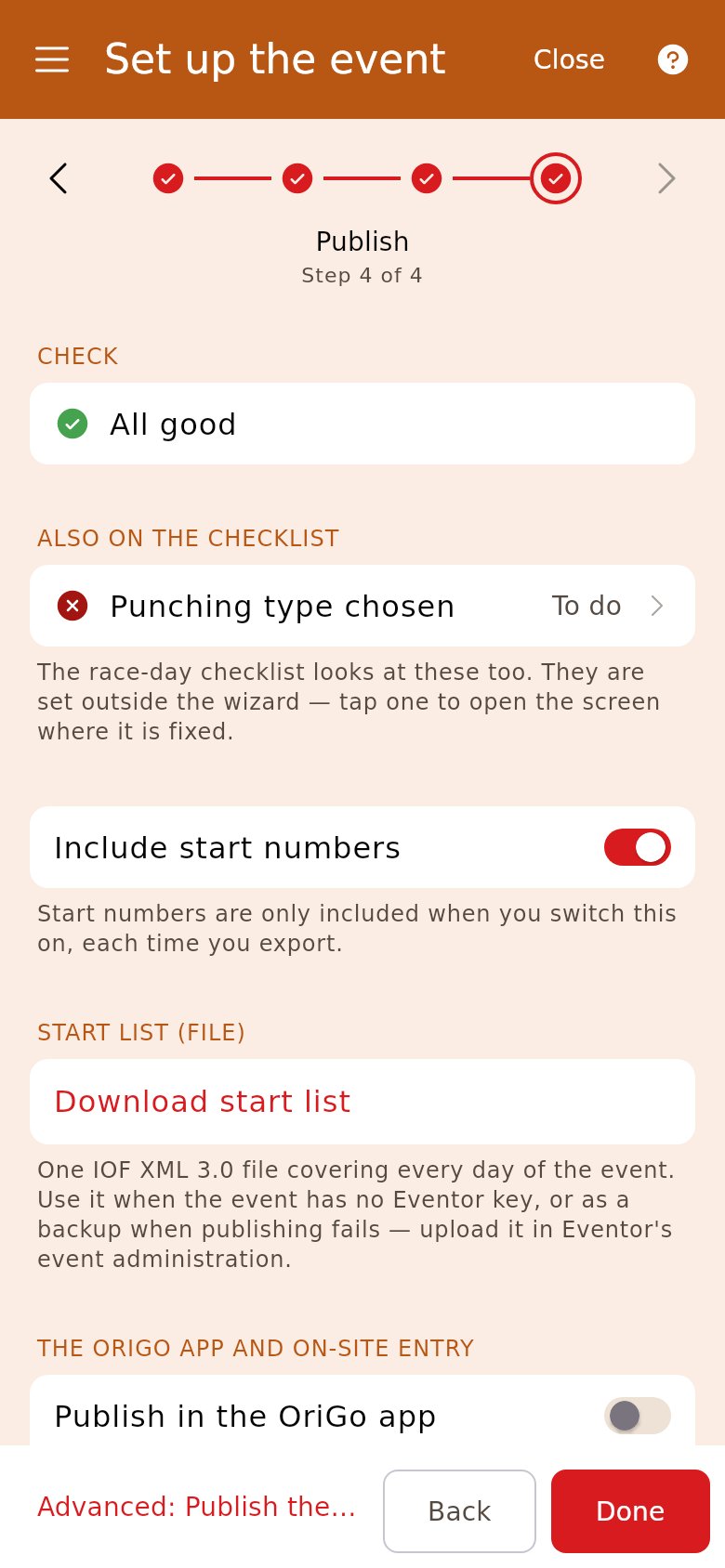
Section titled “6. Publish”The checklist at the top shows what is missing — tap a row to fix it. Turn on «Publish in the OriGo app», so the teams see the start list and follow the race live. A race from Eventor also sends the start list there with «Publish the start list to Eventor».
7. Fix the team line-ups
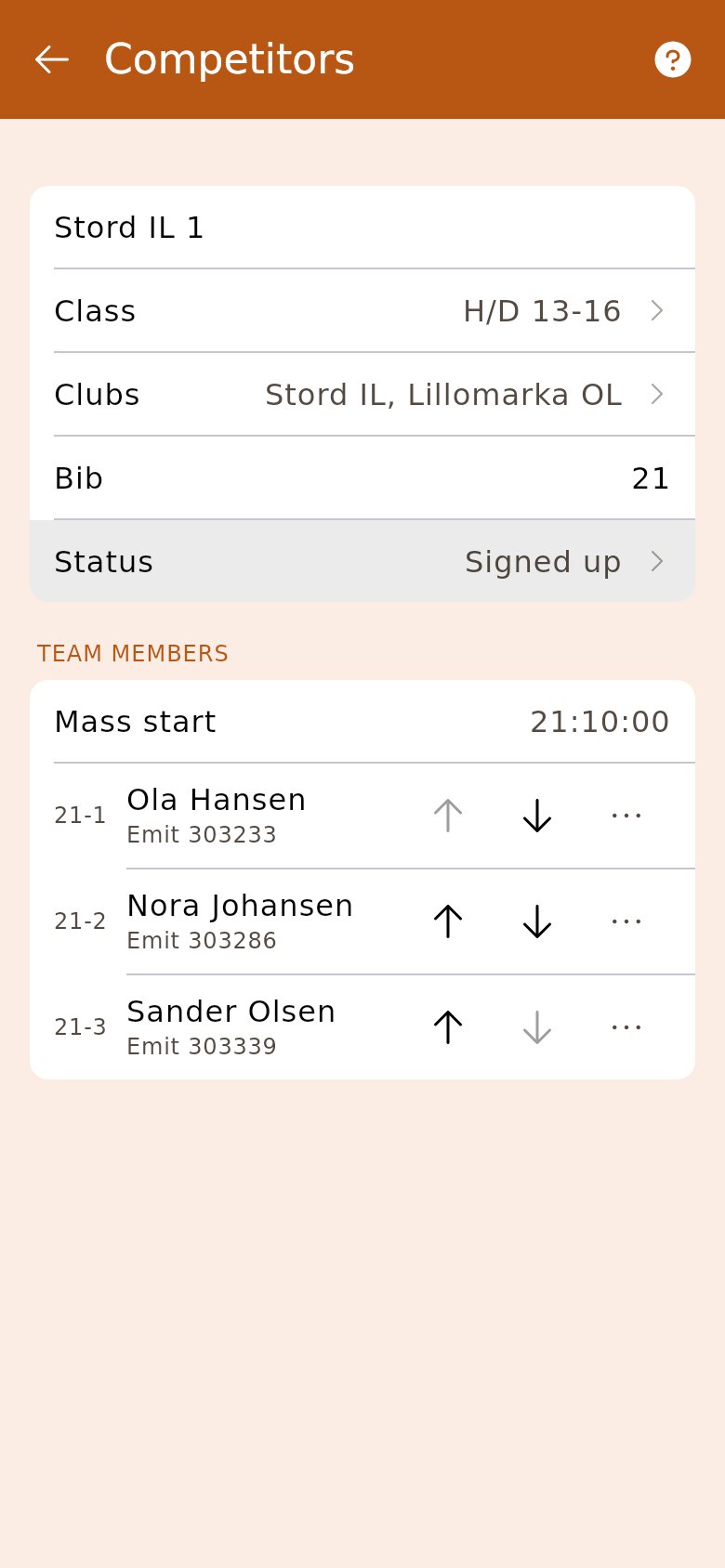
Section titled “7. Fix the team line-ups”Teams change until the last minute. Open the team in «Competitors»: the arrows move a runner to the leg above or below, and «⋯» on the leg has «Change runner». A new team is entered in «Registration».
8. Check in at the start
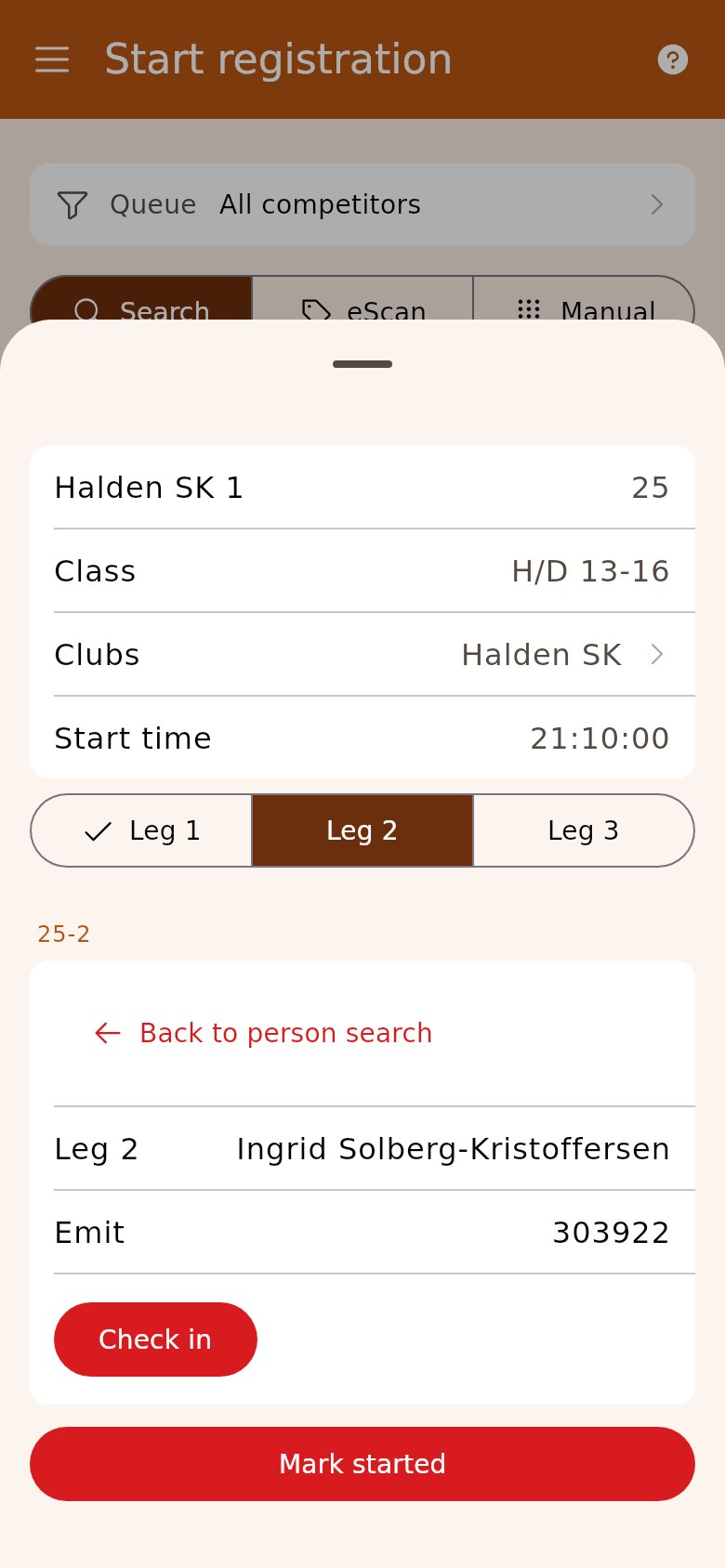
Section titled “8. Check in at the start”The teams are listed in «Start registration». Read the chip, and the team’s sheet opens on that runner’s leg. Tap «Check in».
9. Read the chips at the finish
Section titled “9. Read the chips at the finish”Each runner reads their chip in «Finish registration» as in an individual race. The card shows the leg time, the team’s «Overall» time and who the runner exchanges to. On the last leg it says «Team finished».
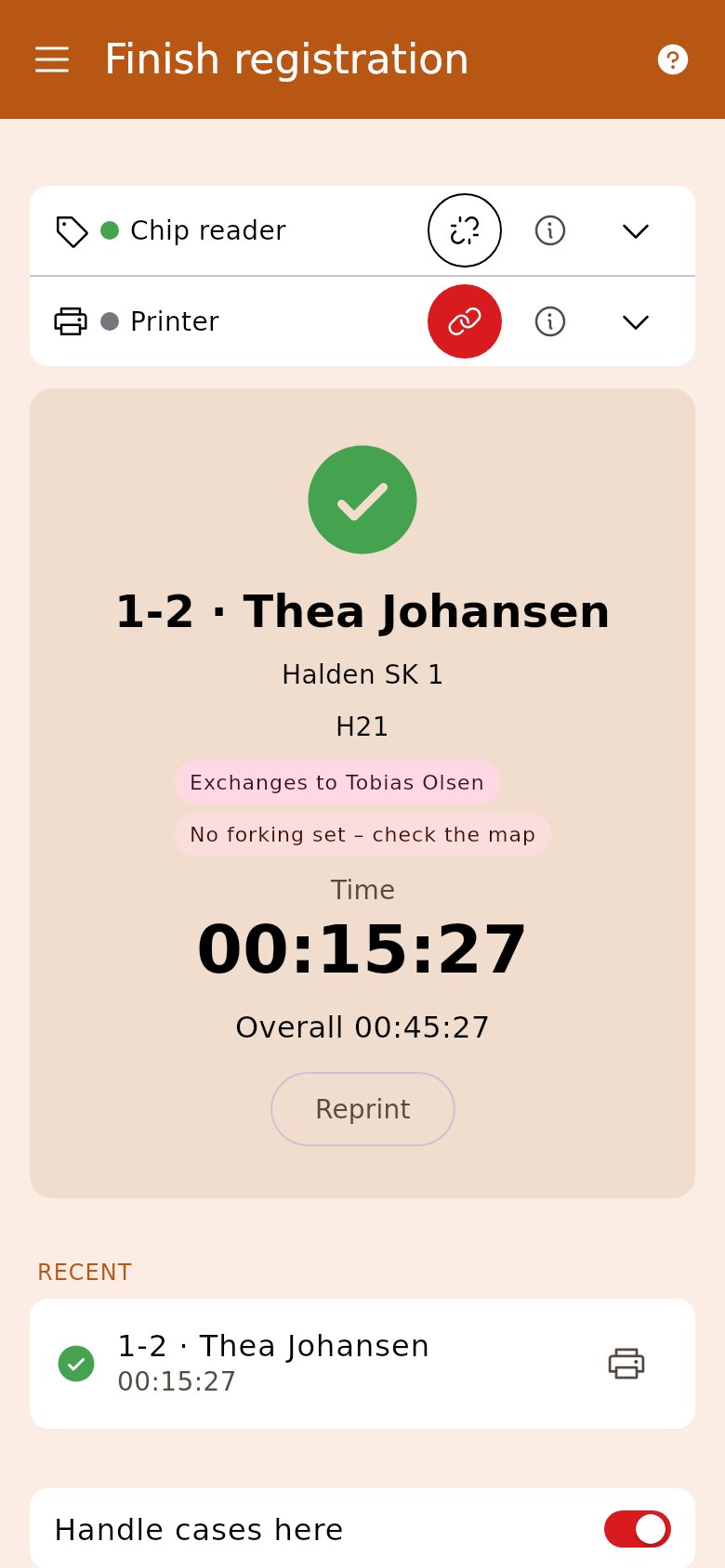
- Every runner gets the team’s number with the leg after it — «12-2» is leg 2 on team 12.
- If the race was created as individual and the file is a relay, the step says so. Tap «Make it a relay» — that works as long as nobody has entered.
- A relay over several days is not supported by the wizard. Use the modules in the side menu directly.
Changeover and restart
The first leg is timed from the mass start, the next ones from the changeover, and a runner on the restart from the restart time. The changeover is the finish time of the runner before, so it is in place as soon as they have been read in at the finish.
You send a runner out on the restart with «Restart» on the leg in the team’s sheet at the start. The button is there from leg 2, when the class has a restart after the mass start.
More teams than maps
A class takes as many teams as the course file has maps for. When all the numbers are taken, entries in the class stop. If more teams come in from Eventor, «Team numbers and forking» says so, and the teams beyond the file get no number. Adjust the course file and upload it again.
When two runners have swapped chips
If a leg finishes before the leg in front of it, the times do not add up. The team is marked «Check times» in «Competitors», and gets neither a total time nor a place until the times are fixed. Open the leg and correct the finish time or the chip.
After the race
«Finish the race» shows one row per leg without a result. A leg that never got a changeover is suggested as «Not started»; one that was out, as «Did not finish». The result list to Eventor has the teams with all their legs.